
A LoRA for SDXL or a small Flux model costs well under $10 to train on a rented GPU. In September 2026 an RTX 4090 rents for about $0.31 an hour on Vast.ai and $0.74 an hour on RunPod, and one SDXL LoRA session, setup and testing included, takes a bit over an hour. That’s $0.34 to $0.80 per attempt, so a $10 budget covers a dozen tries.
The money isn’t the hard part. The images, the captions and knowing when to stop are. This guide covers all of it, with commands you can paste. Prices and tool versions were checked in September 2026; sources are at the end.
The workflow in five steps
What a LoRA is and why it’s cheap
LoRA (Low-Rank Adaptation) freezes the base model and trains two small matrices next to some of its layers. The original paper reported cutting trainable parameters by 10,000 times and GPU memory by 3 times compared with full fine-tuning of GPT-3 175B. Image models work the same way: the SDXL base checkpoint is a 6.9 GB file, while the LoRA you train is a small separate file that you load on top of it at whatever strength you like.
That’s why a single consumer GPU is enough, and why a run takes tens of minutes rather than days.
Pick a GPU by VRAM
VRAM decides what you can train. Speed decides how many billed minutes the run takes, so a faster card that costs more per hour can end up costing about the same per run.
| Model family | Documented minimum | Comfortable | Notes |
|---|---|---|---|
| SD 1.5 | 8 GB | 12 GB+ | Trains at 512x512, cheapest and fastest |
| SDXL | 8 GB (10 GB recommended) | 24 GB | U-Net only, cached latents and text encoder outputs |
| FLUX.1 [dev] (12B) | 8 GB with heavy block swapping | 24 GB | sd-scripts lists 24, 16, 12, 10 and 8 GB settings |
| FLUX.2 [klein] 4B/9B | not stated | 24 GB | BFL: about 13 GB of bf16 weights, a LoRA run fits under 24 GB |
The low-VRAM settings work, but they’re slow. Swapping transformer blocks between the GPU and system RAM is how sd-scripts fits FLUX.1 into 8 to 16 GB, and every swap costs time you pay for. On a rented machine, a 24 GB card is the sensible default: an RTX 3090 or 4090. The RTX 5090 (32 GB) also works, but sd-scripts notes it needs PyTorch 2.8.0 with CUDA 12.8 or 12.9, so check that your template ships a recent enough stack.
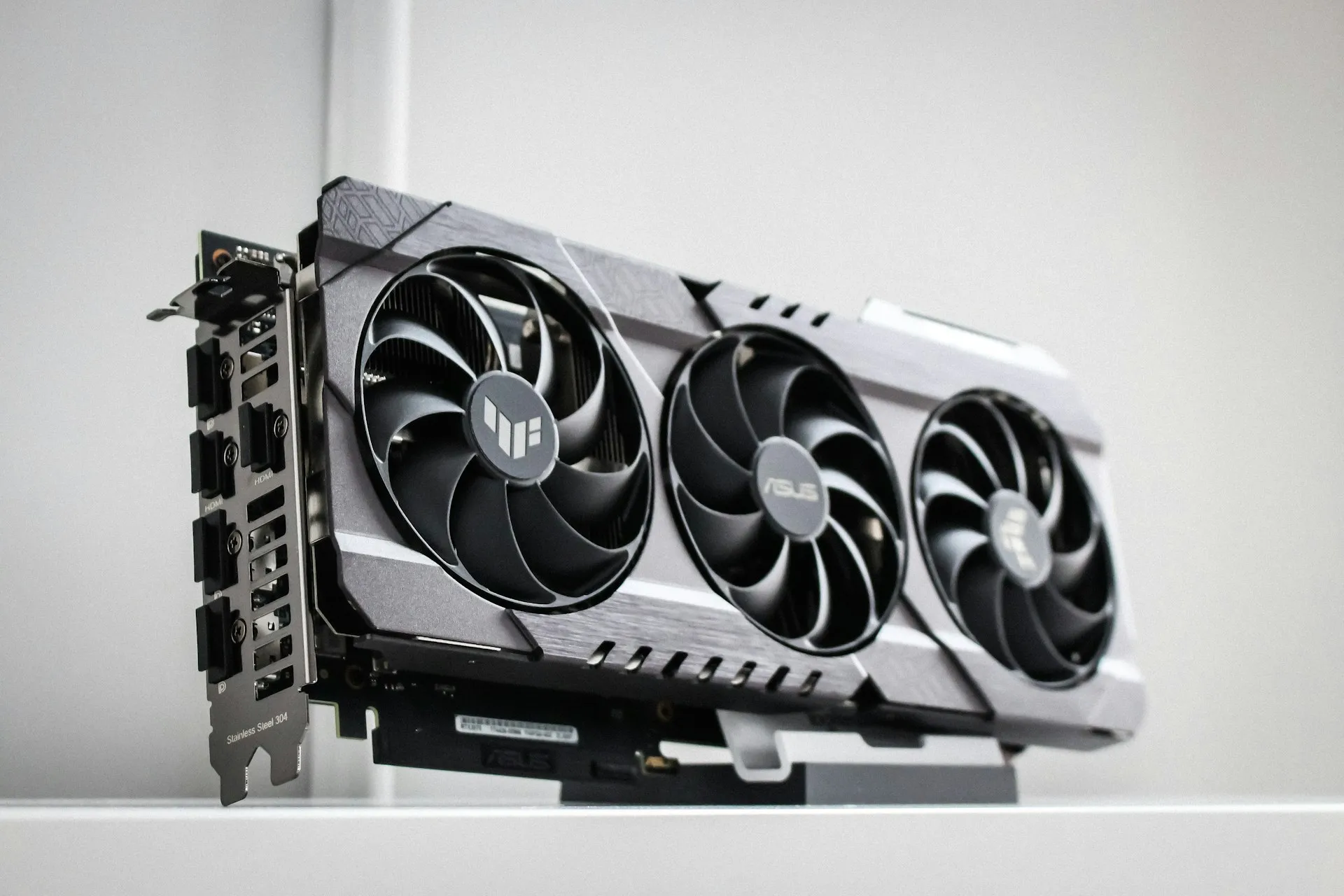
Datacenter cards are faster, but RunPod lists an A100 80 GB at $1.59 an hour, more than twice a 4090. For a LoRA on 20 or 30 images the extra speed rarely makes up for that; they make more sense for large datasets or full fine-tunes.
Where to rent, and what it costs
You need a platform that gives you a machine: a shell or a Jupyter notebook, a disk, and a way to copy files in and out. Vast.ai and RunPod are the two most common choices for this kind of job.
| GPU | VRAM | Vast.ai (from) | RunPod pricing page | RunPod cheapest tracked |
|---|---|---|---|---|
| RTX 3090 | 24 GB | about $0.11–0.13/h | $0.50/h | $0.22/h |
| RTX 4090 | 24 GB | about $0.31–0.33/h | $0.74/h | $0.34/h |
| RTX 5090 | 32 GB | about $0.41–0.47/h | $0.99/h | $0.69/h |
Prices as of September 2026. “Vast.ai (from)” and “RunPod cheapest tracked” come from getdeploying.com’s price tracker; the middle column is RunPod’s own pricing page. Vast.ai hosts set their own prices, so the offers you see will vary by location and reliability score.
Both bill by the second. The extras differ, and they matter more for a one-hour job than the hourly rate suggests:
- Vast.ai charges for storage “while your instance exists, regardless of running state”, and charges for bandwidth per byte, at a rate set by each host. Downloading a 7 GB base model on an expensive-bandwidth host adds up. Delete the instance, don’t just stop it.
- RunPod charges $0.10 per GB per month for container disk while running, nothing for it once stopped, and $0.20 per GB per month for a stopped volume disk. It doesn’t charge for data in or out.
Both have ready-made templates. ai-toolkit’s author maintains an official RunPod template, and the kohya_ss README lists RunPod as a supported setup. A template saves you ten or more minutes of installing PyTorch on billed time. For a wider price comparison, see GPUFlow vs Vast.ai vs RunPod vs SaladCloud and the hidden costs of GPU rental.
Prepare the dataset and captions
Do all of this on your own computer before you rent anything.
Images
- Count. 15 to 40 images for one person, object or style. Black Forest Labs recommends “15–40 images that share one look” for FLUX.2 [klein]. More isn’t better if the extra images are weaker.
- Consistency and variety. Every image must show the concept. Everything else should vary: angle, lighting, background, framing. If every photo of your product sits on the same white table, the LoRA learns the table.
- Quality. Sharp, well exposed, no watermarks or text overlays. The LoRA learns noise and JPEG blocks as faithfully as anything else.
- Resolution. At least 1024 pixels on the short side for SDXL and Flux, 512 for SD 1.5. You don’t need to crop to squares: with bucketing enabled, sd-scripts groups images by aspect ratio.
Captions
Each image gets a text file with the same name (photo01.jpg, photo01.txt). The caption tells the model what’s already explained by words, so the LoRA learns what isn’t. Put a rare trigger word first, then describe everything you want to stay changeable:
zxq_mug, a ceramic coffee mug on a wooden desk, morning light from the left, shallow depth of fieldTwo tools will write a first draft for you:
-
WD14 tagger, included in sd-scripts, produces comma-separated tags. Good for anime-style models and SDXL fine-tunes trained on tags:
python finetune/tag_images_by_wd14_tagger.py --onnx \ --repo_id SmilingWolf/wd-swinv2-tagger-v3 --batch_size 4 /workspace/dataset/img -
JoyCaption, an open (Apache 2.0) captioning model built for training diffusion models, writes natural-language sentences, which suit Flux better than tags. Its README says it needs about 17 GB of VRAM in bf16, with 8-bit and 4-bit versions for smaller cards.
OneTrainer also has built-in captioning with BLIP, BLIP2 and WD-1.4. Whatever writes the draft, read every caption and fix it. That’s the highest-value half hour in the whole project.
Choose a trainer
Four tools cover almost everyone. All are free and open source.
| Tool | Interface | Models (September 2026) | Good fit |
|---|---|---|---|
| kohya-ss/sd-scripts | Command line | SD 1.x/2.x, SDXL, SD3/3.5, FLUX.1, Lumina, HunyuanImage-2.1, Anima | Reproducible runs, full control |
| bmaltais/kohya_ss | Web UI on top of sd-scripts | Same as sd-scripts | sd-scripts without memorizing flags |
| Nerogar/OneTrainer | Desktop UI and CLI | SD 1.5 to 3.5, SDXL, FLUX.1, FLUX.2, Chroma, Qwen Image and more | Built-in captioning and masking |
| ostris/ai-toolkit | Web UI and YAML configs | SD 1.5, SDXL, FLUX.1, FLUX.2, Qwen-Image, Wan video and more | Flux and newer models, RunPod template |
sd-scripts is at version 0.11.1 (June 2026), is tested with Python 3.10 and needs PyTorch 2.6.0 or later. ai-toolkit recommends Python 3.12 and currently installs PyTorch 2.13.0 built for CUDA 13.0. OneTrainer needs Python 3.10 to 3.13.
I use sd-scripts for SDXL because the command line is the whole configuration, which makes runs easy to repeat and compare, and ai-toolkit for Flux.
Train an SDXL LoRA with sd-scripts
On a fresh Linux instance with an NVIDIA driver, setup is a few commands:
git clone https://github.com/kohya-ss/sd-scripts.git
cd sd-scripts
python -m venv venv && source venv/bin/activate
pip install torch==2.6.0 torchvision==0.21.0 --index-url https://download.pytorch.org/whl/cu124
pip install --upgrade -r requirements.txt
accelerate config default --mixed_precision bf16

# SDXL base model (not gated, CreativeML Open RAIL++-M license)
hf download stabilityai/stable-diffusion-xl-base-1.0 sd_xl_base_1.0.safetensors \
  --local-dir /workspace/models
Copy your folder of images and .txt captions to /workspace/dataset/img with scp, rsync or the platform’s file browser. Then describe the dataset in /workspace/dataset.toml:
[general]
caption_extension = ".txt"
enable_bucket = true

[[datasets]]
resolution = 1024
batch_size = 1

  [[datasets.subsets]]
  image_dir = "/workspace/dataset/img"
  num_repeats = 10
And start training:
accelerate launch --num_cpu_threads_per_process 1 sdxl_train_network.py \
  --pretrained_model_name_or_path=/workspace/models/sd_xl_base_1.0.safetensors \
  --dataset_config=/workspace/dataset.toml \
  --output_dir=/workspace/output --output_name=zxq_mug \
  --save_model_as=safetensors \
  --network_module=networks.lora --network_dim=16 --network_alpha=8 \
  --network_train_unet_only \
  --optimizer_type=AdamW8bit --learning_rate=1e-4 \
  --lr_scheduler=constant_with_warmup --lr_warmup_steps=100 \
  --max_train_epochs=8 --save_every_n_epochs=2 \
  --mixed_precision=bf16 --save_precision=bf16 \
  --cache_latents --cache_latents_to_disk --cache_text_encoder_outputs \
  --gradient_checkpointing --sdpa --seed=42 \
  --sample_prompts=/workspace/prompts.txt --sample_every_n_epochs=2
prompts.txt holds one test prompt per line, with sd-scripts’ inline options for size, seed and steps:
zxq_mug, a ceramic coffee mug on a kitchen counter --w 1024 --h 1024 --d 42 --s 28
zxq_mug, a ceramic coffee mug held by a hiker on a mountain top --w 1024 --h 1024 --d 42 --s 28
What the settings do
- Steps. Images × repeats × epochs ÷ batch size. With 25 images: 25 × 10 × 8 = 2,000 steps.
network_dim16,network_alpha8. The LoRA’s capacity. 16 is plenty for one object or face; styles sometimes want 32. Higher ranks overfit faster and make bigger files.--network_train_unet_only. Required here: sd-scripts refuses to cache text encoder outputs while also training the text encoders, and its docs call U-Net-only training “highly recommended” for SDXL LoRAs anyway.- Caching and gradient checkpointing. These are what make SDXL fit in 8 to 10 GB. Caching also disables caption shuffling and caption dropout, which is why they’re absent from the dataset file.
learning_rate1e-4 with AdamW8bit. The value in sd-scripts’ own SDXL LoRA example. If samples barely change after four epochs, try 2e-4. If they turn into copies of your training images, lower it or stop earlier.- Checkpoints every 2 epochs. You’ll get files for epochs 2, 4, 6 and 8, and pick the best one. The best LoRA is often not the last one.
How long it takes
Users in a kohya_ss issue thread reported about 1.1 to 1.4 iterations per second for SDXL LoRA training at 1024x1024, batch size 1, on an RTX 4090 with gradient checkpointing. At that speed 2,000 steps take 24 to 30 minutes, plus a few minutes to cache latents. The same thread shows how badly things go when a card runs out of VRAM and spills into shared memory: 50 seconds or more per step. If your speed is far below the expected range, check nvidia-smi before you blame the settings.
Flux and newer models with ai-toolkit
For Flux, ai-toolkit is the easiest route. On a rented machine:
git clone https://github.com/ostris/ai-toolkit.git
cd ai-toolkit
python3 -m venv venv && source venv/bin/activate
pip3 install --no-cache-dir torch==2.13.0 torchvision==0.28.0 torchaudio==2.11.0 \
  --index-url https://download.pytorch.org/whl/cu130
pip3 install -r requirements.txt
cp config/examples/train_lora_flux_24gb.yaml config/zxq_mug.yml
# edit the dataset path, trigger word and steps, then:
python run.py config/zxq_mug.yml
Or start the web UI with cd ui && npm run build_and_start and open port 8675. On a server that other people can reach, set AI_TOOLKIT_AUTH to a password first, as the README recommends.
Two things to know about licenses before you pick a Flux model:
- FLUX.1 [dev] is gated on Hugging Face. You accept the FLUX.1 [dev] Non-Commercial License and use a Hugging Face read token to download it. Its model card says generated outputs can be used commercially; the weights and your LoRA fall under the non-commercial license.
- FLUX.2 [klein] 4B is Apache 2.0 and not gated. The 9B version uses the FLUX Non-Commercial License.
Black Forest Labs published a guide in June 2026 for training FLUX.2 [klein] LoRAs with ai-toolkit: an 1,800-step run on an RTX 4090 “takes under an hour”, and they suggest looking at checkpoints around steps 750 to 1,500. I haven’t found an equally solid published timing for FLUX.1 [dev], which is three times the size of klein 4B; budget more time and measure your first run.
Test the LoRA before you stop paying
Look at the sample images from each saved epoch while the machine is still running. They show you, for free, whether the LoRA learned the concept and when it started to overfit. Then download the checkpoints you like:
rsync -avP user@your-instance:/workspace/output/*.safetensors ./loras/At home, put the file in ComfyUI’s models/loras folder or Forge’s models/Lora, and test with fixed seeds:
- Strength. Try 0.6, 0.8 and 1.0. Some LoRAs look best below 1.0.
- Flexibility. Put the trigger in scenes that weren’t in your data. A mug on a mountain, a face in a painting. If it only works in scenes like the training images, it’s overfit: use an earlier epoch or fewer repeats.
- Leakage. Generate without the trigger word. If the concept shows up anyway, your captions didn’t describe enough of the image.
When the result is wrong, the fix is usually in the dataset: a few weak images removed, or captions that name the things you want to vary. Changing the learning rate is the second thing to try, not the first.
The worked cost
One SDXL LoRA, 25 images, 2,000 steps, on an RTX 4090:
| Step | Time |
|---|---|
| Start from a template, install sd-scripts | 10 min |
| Download SDXL base, upload dataset, cache | 10 min |
| Training (2,000 steps at 1.1 to 1.4 it/s) | 30 min |
| Look at samples, download checkpoints, delete instance | 15 min |
| Total | 65 min (1.08 h) |
- Vast.ai at $0.31/h: 1.08 × $0.31 = $0.34, plus storage and the host’s bandwidth rate.
- RunPod at $0.74/h: 1.08 × $0.74 = $0.80. A 50 GB container disk for that hour adds 50 × $0.10 ÷ 730 hours = under 1 cent.
A FLUX.2 [klein] LoRA with an hour of training and 30 minutes of setup and testing is 1.5 × $0.74 = $1.11 on RunPod, or 1.5 × $0.31 = $0.47 on Vast.ai.
What actually blows a $10 budget is rarely training. It’s an instance left running overnight (12 hours at $0.74 is $8.88), a stopped Vast.ai instance still paying for storage, or an hour spent captioning images on billed time. Per-second billing only helps if you delete the machine when you’re done.
Where GPUFlow fits
It doesn’t, for this job. GPUFlow rents access to a language model that a provider serves (usually with Ollama) on their own GPU, through an OpenAI-compatible API key. There’s no shell, no SSH and no file access, so you can’t install a trainer, upload images or download a LoRA. It also serves chat models, not image models. Train on Vast.ai, RunPod or a similar platform that rents you the machine.
If you’re working with text rather than images, the same rent-train-delete approach applies to language models: see fine-tuning an LLM privately on a rented GPU.
Sources
All checked in September 2026.
- LoRA paper: Hu et al., LoRA: Low-Rank Adaptation of Large Language Models
- sd-scripts: README and releases, SDXL LoRA training, SDXL notes and VRAM, dataset config, FLUX.1 LoRA training, WD14 tagger
- bmaltais/kohya_ss, Nerogar/OneTrainer, ostris/ai-toolkit, JoyCaption
- SDXL 4090 speeds: kohya_ss issue #1288
- Black Forest Labs: Fine-tune FLUX.2 [klein] with a LoRA under 60 minutes, model cards for FLUX.1 [dev], FLUX.2 [klein] 4B, FLUX.2 [klein] 9B
- Stable Diffusion XL base 1.0 model card
- Prices: RunPod pricing, RunPod pod pricing and storage, Vast.ai pricing, getdeploying.com for RTX 3090, RTX 4090, RTX 5090 and Vast.ai
- GPUFlow: API quickstart