
Why Stablecoins Are the Smartest Way to Pay for GPU Rental
Last Updated: February 21, 2026 | Reading Time: 10 minutes
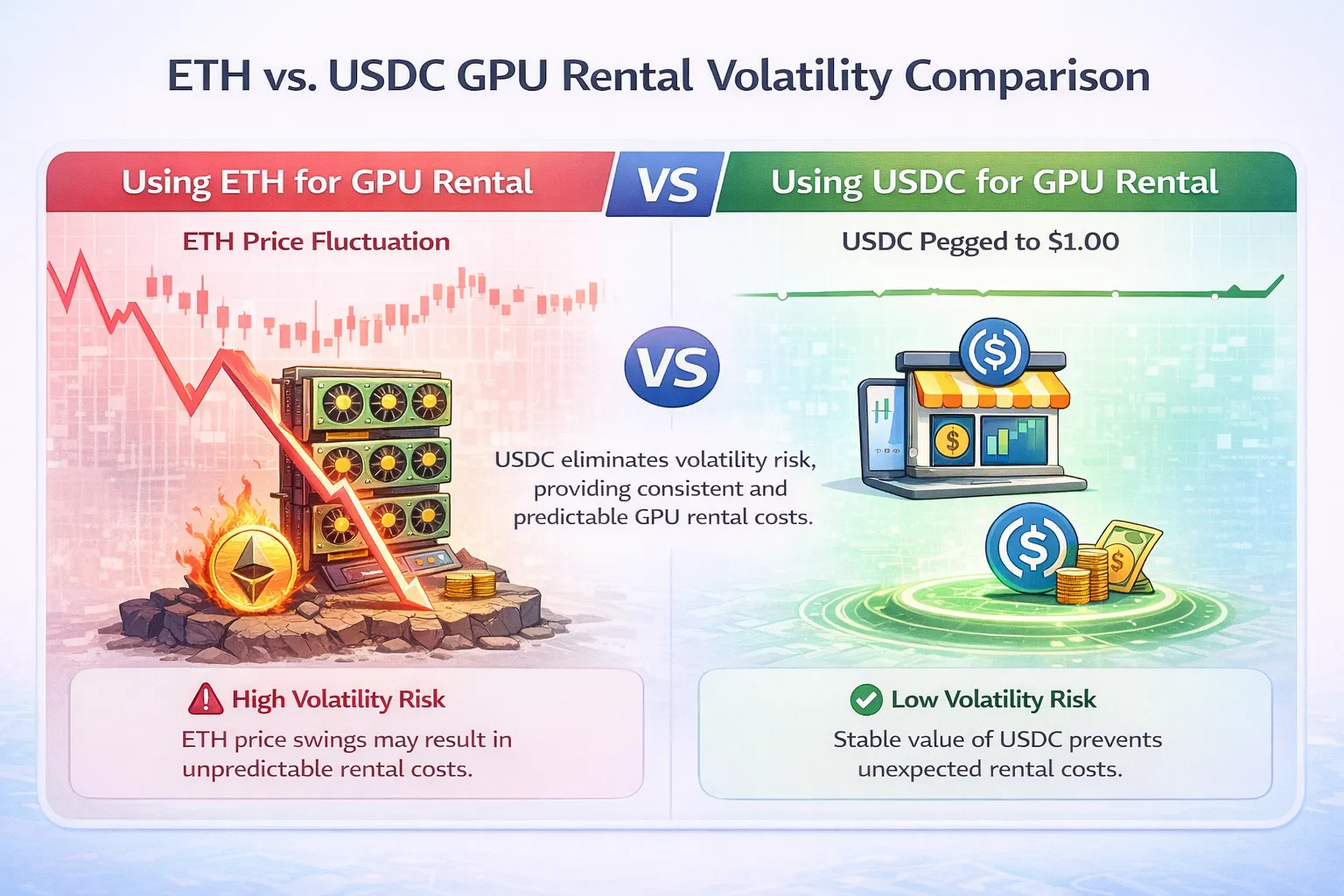
A developer deposited $200 worth of Ethereum to rent GPUs for a weekend training run. By Monday, ETH had dropped 12%. The training cost $85 in GPU time. The remaining balance, which should have been $115, was worth $101. The market donated an extra $14 to volatility for no reason.
Stablecoins eliminate this problem entirely. They maintain dollar value while providing all the benefits of cryptocurrency payments: low fees, fast settlement, global accessibility, and privacy. For GPU rental—where you need predictable budgets, not speculative exposure—stablecoins are the obvious choice.
This guide explains what stablecoins are, which ones to use for GPU rental, and how to acquire them with minimal fees. For the complete cryptocurrency GPU rental process including wallet setup and platform selection, see our Complete Guide to Renting GPUs with Cryptocurrency.
The Volatility Problem: Why Paying with ETH Can Cost You Extra
Cryptocurrency prices move constantly. This creates a hidden cost when using volatile assets like ETH or BTC for service payments.
The Math of Volatility Loss
Scenario: Weekend ML training run
Friday:
- Deposit 0.08 ETH (worth $200 at $2,500/ETH)
- Plan: ~30 hours of RTX 4090 at $0.60/hr = $108 GPU cost
- Expected remaining: ~$92 worth of ETH
Monday:
- Training complete, used $108 of GPU time
- ETH price dropped to $2,200/ETH (12% decline)
- Remaining 0.0368 ETH now worth: $81
- Lost to volatility: $11
You paid $108 for GPU time but lost $119 total ($108 + $11 volatility). The market effectively charged you 10% extra.
Volatility Works Both Ways (But Unpredictably)
“But what if ETH goes up?”
Yes, volatility can work in your favor. If ETH rose 12%:
- Remaining 0.0368 ETH would be worth $103
- You’d “profit” $11
The problem: You’re not trying to trade. You’re trying to train a model.
GPU rental should be a predictable business expense, not a speculative position. When you need compute resources, you shouldn’t also be betting on cryptocurrency price direction.
Real Historical Volatility
ETH price movements over random 48-hour periods in 2025:
| Period | ETH Start | ETH End | Change |
|---|---|---|---|
| Jan 5-7 | $2,380 | $2,520 | +5.9% |
| Feb 12-14 | $2,710 | $2,490 | -8.1% |
| Mar 22-24 | $2,150 | $2,340 | +8.8% |
| Apr 8-10 | $2,890 | $2,650 | -8.3% |
| May 15-17 | $2,420 | $2,380 | -1.7% |
Average absolute movement over 48 hours: 6.6%
For a $200 GPU rental deposit, average volatility exposure is approximately $13 in either direction. This uncertainty has no upside for someone simply trying to rent compute resources.
Stablecoins Remove the Variable
Same scenario with USDC:
Friday:
- Deposit 200 USDC (worth $200)
- Plan: ~30 hours of RTX 4090 = $108 GPU cost
Monday:
- Training complete, used $108 of GPU time
- Remaining: 92 USDC (worth $92)
- Lost to volatility: $0
You paid exactly $108 for $108 of GPU time. No market exposure, no surprises, no speculation.
When Volatile Crypto Makes Sense
Using ETH or BTC for GPU rental is reasonable if:
- You’re actively trading crypto and want market exposure during rental
- You’re paid in ETH and prefer not to convert
- You’re philosophically committed to non-fiat assets
- You understand and accept the volatility risk
For most developers who simply need GPU access with predictable costs, stablecoins are superior.
What Stablecoins Are and How They Maintain Dollar Peg
Stablecoins are cryptocurrencies designed to maintain stable value, typically pegged 1:1 to the US dollar. Understanding how they work builds confidence in using them.
The Basic Mechanism
Traditional cryptocurrency (ETH, BTC):
- Price determined purely by market supply and demand
- No underlying asset backing
- Value fluctuates based on speculation, adoption, market sentiment
Stablecoins (USDC, USDT):
- Price designed to equal $1.00
- Backed by reserve assets (cash, treasuries, etc.)
- Mechanisms maintain peg when market pressure occurs
Three Types of Stablecoins
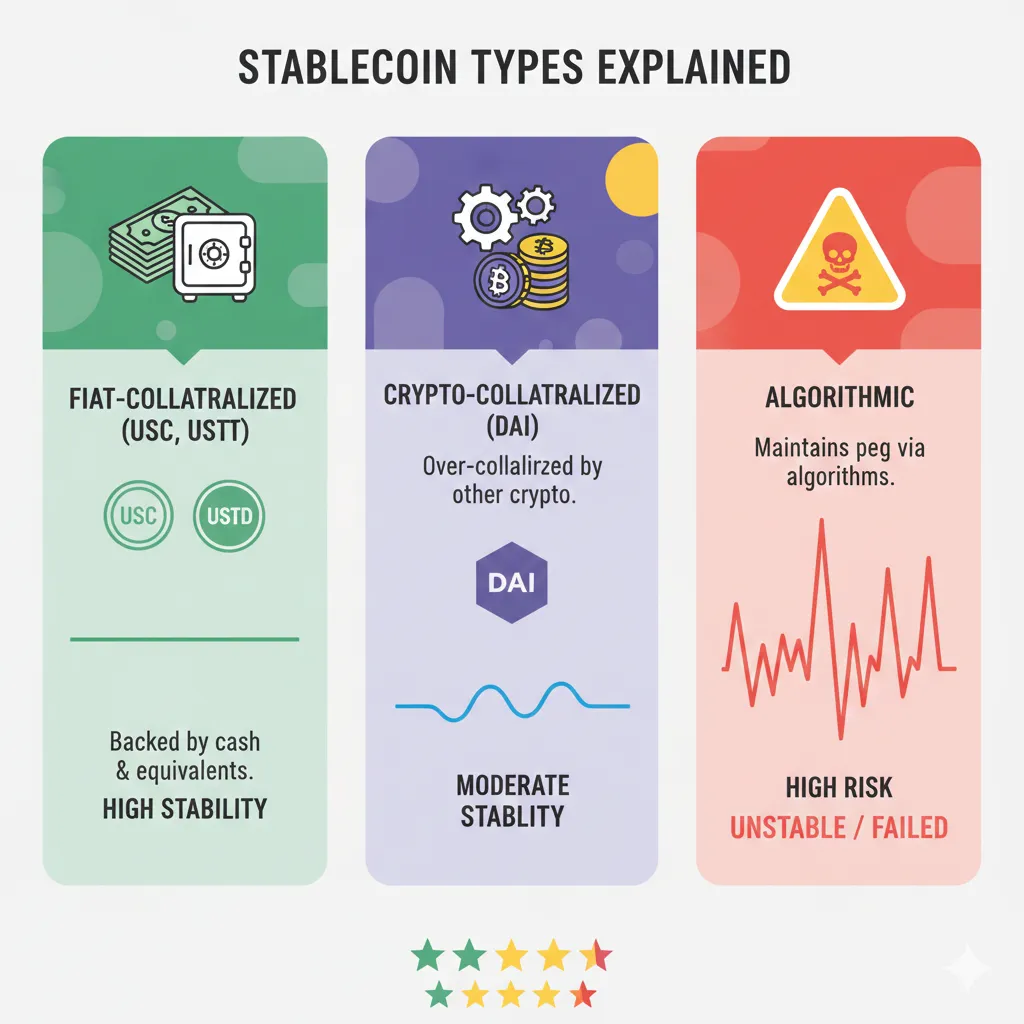
1. Fiat-Collateralized (USDC, USDT)
How it works:
- Issuer holds $1 in reserve for each token issued
- Reserves held in bank accounts, treasury bills, cash equivalents
- Users can redeem tokens for underlying dollars (with verification)
- Arbitrage keeps price at $1: If USDC trades at $0.99, traders buy and redeem for $1 profit
Backing example (USDC):
- Issued by Circle (regulated US company)
- Reserves: Cash and short-dated US treasuries
- Monthly attestations by Grant Thornton (major accounting firm)
- $25+ billion in circulation
2. Crypto-Collateralized (DAI)
How it works:
- Backed by cryptocurrency deposits (ETH, WBTC, etc.)
- Over-collateralized: $150+ in crypto backing each $100 DAI
- Smart contracts automatically liquidate if collateral value drops
- Decentralized: No single company controls issuance
Backing example (DAI):
- Issued by MakerDAO (decentralized protocol)
- Collateral: Mix of crypto assets and real-world assets
- Over-collateralization ratio: ~150% minimum
- ~$5 billion in circulation
3. Algorithmic (Historical—Mostly Failed)
How it worked:
- No collateral backing
- Algorithm adjusts supply to maintain peg
- Mint/burn mechanisms based on price deviation
Why we don’t recommend:
- TerraUSD (UST) collapsed in May 2022, losing $40+ billion
- Algorithm failed under market stress
- Most algorithmic stablecoins have failed
- Stick with collateralized options for GPU rental
How Stable Are Stablecoins?
USDC historical peg stability:
| Event | USDC Price | Duration | Recovery |
|---|---|---|---|
| Normal operation | $0.999-1.001 | 99%+ of time | N/A |
| March 2023 SVB crisis | $0.87 low | ~48 hours | Full recovery |
| May 2022 Terra collapse | $0.98 low | ~24 hours | Full recovery |
USDT historical peg stability:
| Event | USDT Price | Duration | Recovery |
|---|---|---|---|
| Normal operation | $0.998-1.002 | 99%+ of time | N/A |
| October 2018 stress | $0.92 low | ~1 week | Full recovery |
| May 2022 Terra collapse | $0.95 low | ~24 hours | Full recovery |
For GPU rental purposes:
Holding stablecoins for hours to days during active rental means exposure to depegging events is minimal. Even the worst USDC depeg (March 2023) recovered within 48 hours. If you’re concerned about multi-week holdings, split between USDC and USDT for diversification.
Why This Matters for GPU Rental
Stablecoins give you:
- Budget predictability: $100 deposited = $100 available for compute
- Cryptocurrency benefits: Low fees, fast settlement, no KYC on crypto-native platforms
- No market exposure: Your GPU budget isn’t tied to crypto speculation
- Easy accounting: 1 USDC = $1 simplifies expense tracking
The combination is ideal: You get cryptocurrency’s payment advantages without cryptocurrency’s price volatility.
USDC vs USDT vs DAI: Which Stablecoin for GPU Rental
Three stablecoins dominate the market. Each has distinct characteristics that matter for GPU rental use cases.
USDC (USD Coin)
Issuer: Circle (US-regulated financial company)
Market cap: ~$30 billion
Backing: Cash and short-dated US Treasury securities
Transparency: Monthly reserve attestations by Grant Thornton LLP
Key characteristics:
| Factor | USDC Rating | Notes |
|---|---|---|
| Regulatory compliance | Highest | US-regulated issuer, transparent reserves |
| Reserve transparency | Highest | Monthly third-party attestations |
| Redemption reliability | High | $100k minimum for direct redemption |
| Exchange availability | Very high | Available on all major exchanges |
| GPU platform acceptance | Very high | Accepted by GPUFlow, Vast.ai, RunPod |
| Network availability | Very high | Ethereum, Polygon, Solana, Arbitrum, others |
Advantages for GPU rental:
- Most transparent backing—you know reserves exist
- Regulated issuer reduces counterparty risk
- Wide acceptance across GPU platforms
- Native support on Polygon (low fees)
Disadvantages:
- Circle can freeze addresses (regulatory compliance)
- US regulatory exposure (potential future restrictions)
- Slight premium pricing occasionally during high demand
Best for: Users prioritizing transparency and regulatory clarity. Default recommendation for most GPU rental users.
USDT (Tether)
Issuer: Tether Limited (offshore company)
Market cap: ~$95 billion
Backing: Cash, cash equivalents, commercial paper, secured loans, other investments
Transparency: Quarterly attestations (less detailed than USDC)
Key characteristics:
| Factor | USDT Rating | Notes |
|---|---|---|
| Regulatory compliance | Medium | Offshore issuer, less regulatory oversight |
| Reserve transparency | Medium | Less detailed attestations, historical concerns |
| Redemption reliability | Medium-High | $100k minimum, verification required |
| Exchange availability | Highest | Most liquid stablecoin globally |
| GPU platform acceptance | High | Accepted by most platforms |
| Network availability | Highest | Available on nearly every blockchain |
Advantages for GPU rental:
- Highest liquidity globally—best availability in emerging markets
- Lower premiums during market stress (more supply)
- Widest network support
- Often better exchange rates in non-US markets
Disadvantages:
- Less transparent reserves (historical controversies)
- Offshore regulatory structure
- Tether can freeze addresses
- Slightly higher counterparty risk than USDC
Best for: Users in markets where USDC liquidity is limited. Those prioritizing availability over transparency.
DAI
Issuer: MakerDAO (decentralized protocol—no single company)
Market cap: ~$5 billion
Backing: Over-collateralized crypto assets plus real-world assets
Transparency: Fully on-chain—all collateral visible on blockchain
Key characteristics:
| Factor | DAI Rating | Notes |
|---|---|---|
| Regulatory compliance | N/A | Decentralized—no issuer to regulate |
| Reserve transparency | Highest | All collateral on-chain, verifiable by anyone |
| Redemption reliability | High | Mint/burn via smart contracts |
| Exchange availability | High | Major exchanges, lower than USDC/USDT |
| GPU platform acceptance | Medium | Accepted by some platforms, not all |
| Network availability | High | Ethereum, Polygon, others |
Advantages for GPU rental:
- Truly decentralized—no company can freeze your tokens
- Fully transparent collateral (on-chain verification)
- Censorship resistant
- No counterparty risk from issuer company
Disadvantages:
- Lower liquidity than USDC/USDT
- More complex mechanism (harder to understand)
- Not accepted on all GPU platforms
- Slight price variance possible under stress (~1-2%)
Best for: Users prioritizing decentralization and censorship resistance. Those philosophically opposed to centralized issuers.
Head-to-Head Comparison
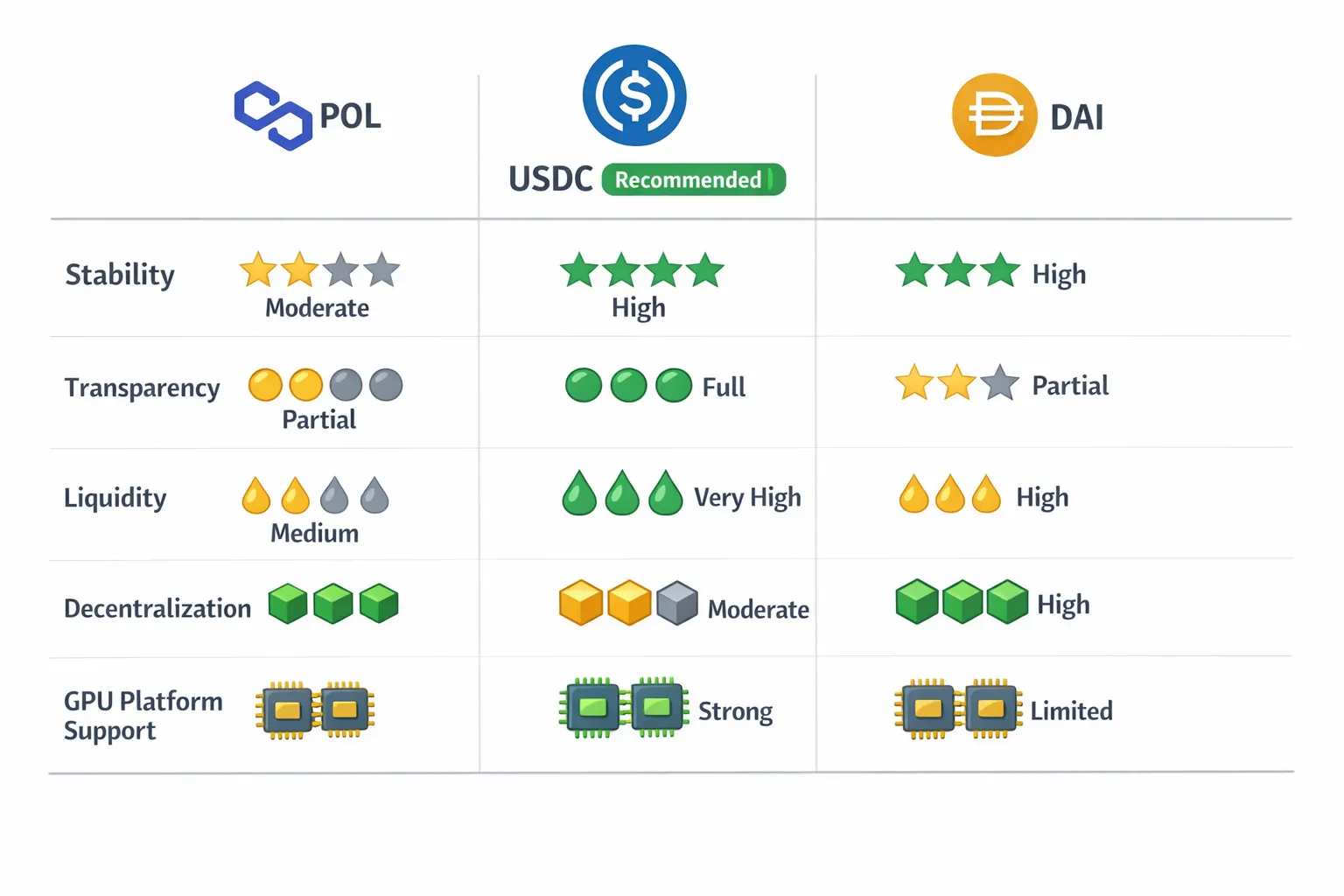
| Factor | USDC | USDT | DAI |
|---|---|---|---|
| Stability | Excellent | Excellent | Very Good |
| Transparency | Excellent | Good | Excellent (on-chain) |
| Liquidity | Very High | Highest | High |
| Decentralization | Low | Low | High |
| GPU platform support | Excellent | Very Good | Good |
| Polygon availability | Yes | Yes | Yes |
| Freeze risk | Yes | Yes | No |
| Recommended for GPU | ✅ Primary | ✅ Alternative | ⚠️ Specific needs |
Our Recommendation
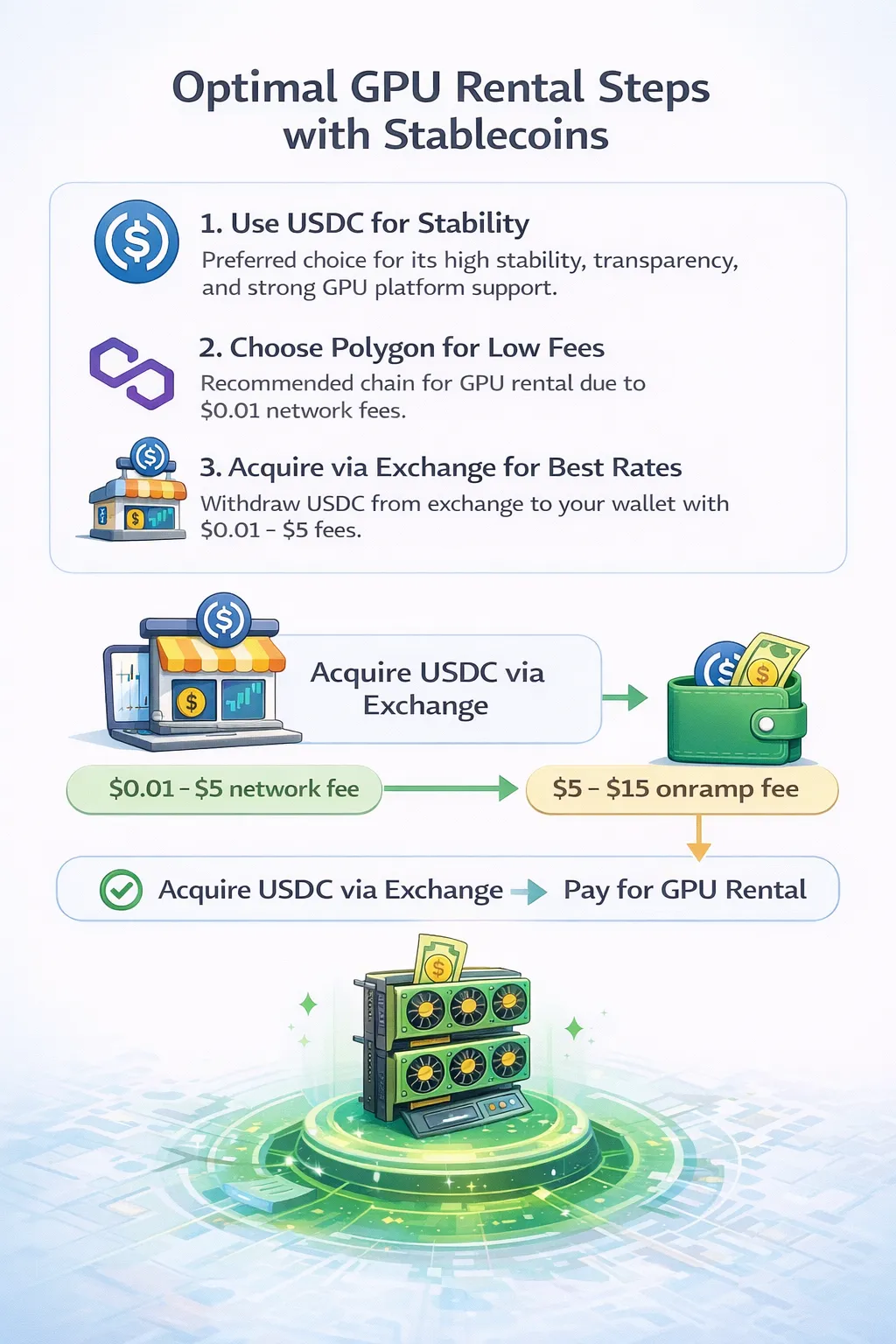
Use USDC for GPU rental unless you have specific reasons to choose otherwise.
USDC offers the best balance of:
- Stability and peg reliability
- Transparency in reserves
- Wide acceptance on GPU platforms
- Availability on low-fee networks (Polygon)
- Sufficient liquidity for any rental amount
Use USDT if:
- USDC has limited availability in your country
- Your exchange offers better USDT rates
- You already hold USDT and prefer not to swap
Use DAI if:
- Censorship resistance is critical to you
- You’re philosophically committed to decentralization
- Your chosen platform accepts DAI
For most developers simply renting GPUs, the differences are minor. All three maintain dollar peg reliably under normal conditions. USDC’s transparency makes it the default recommendation.
Choosing the Right Network: Same Stablecoin, Different Fees
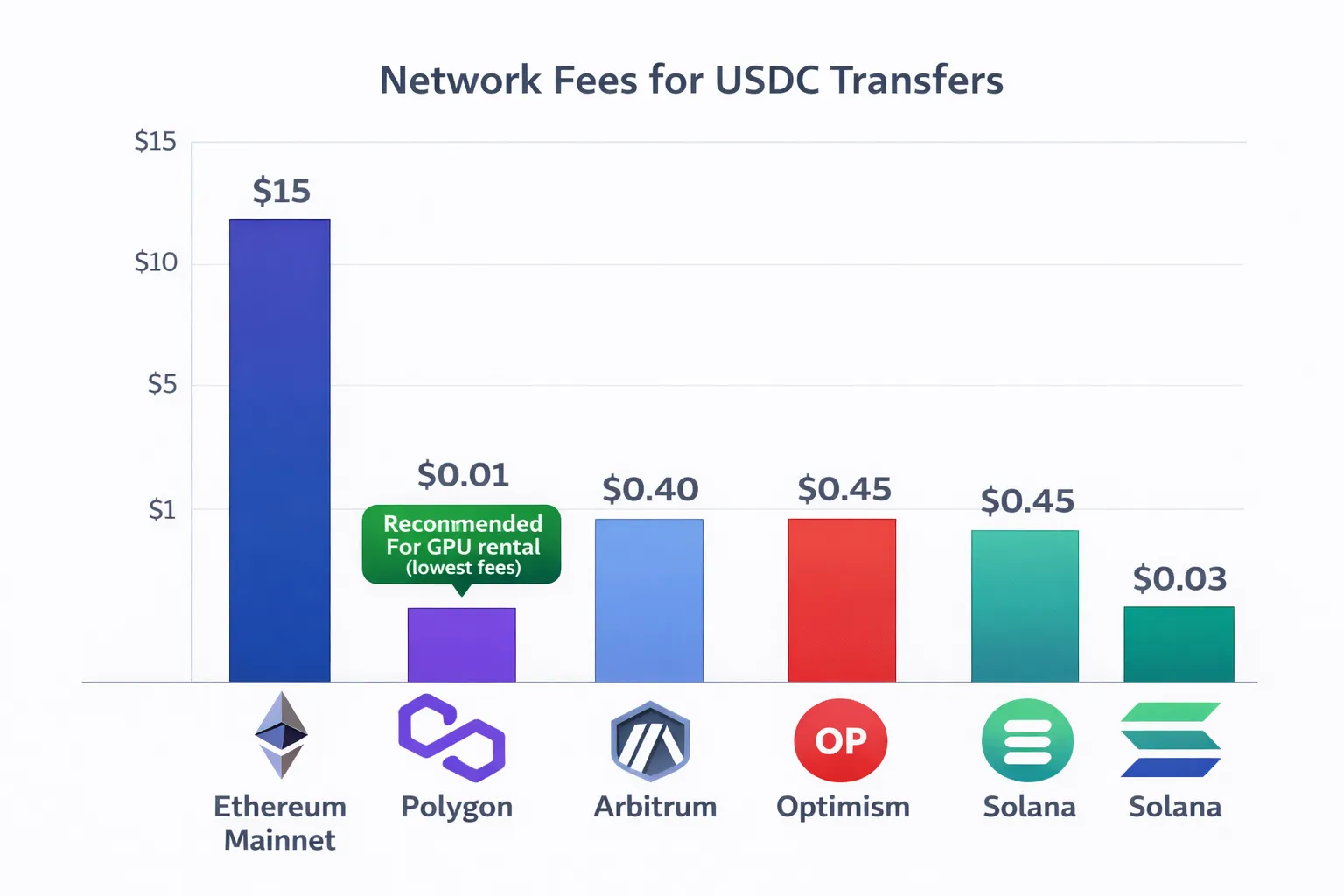
USDC exists on multiple blockchain networks. The token is identical—$1 value regardless of network—but transaction fees vary dramatically.
Why Network Choice Matters
Same USDC, different costs:
| Network | Transfer Fee | Confirmation Time | Notes |
|---|---|---|---|
| Ethereum mainnet | $2-15 | 30-60 seconds | High fees, highest security |
| Polygon | $0.001-0.05 | 2-5 seconds | Very low fees, fast |
| Arbitrum | $0.10-0.50 | 1-3 seconds | Low fees, Ethereum L2 |
| Optimism | $0.10-0.50 | 1-3 seconds | Low fees, Ethereum L2 |
| Solana | $0.001-0.01 | <1 second | Very low fees, fast |
| Base | $0.05-0.20 | 1-3 seconds | Low fees, Coinbase L2 |
For a $50 GPU rental deposit:
| Network | Fee | Fee as % of Deposit |
|---|---|---|
| Ethereum | $5-10 | 10-20% |
| Polygon | $0.02 | 0.04% |
| Solana | $0.005 | 0.01% |
Choosing Ethereum over Polygon for a $50 deposit costs you 10-20% in unnecessary fees. The USDC arriving is identical.
Polygon: Recommended for GPU Rental
Why Polygon is optimal:
- Lowest practical fees: $0.001-0.05 per transaction
- Fast confirmation: 2-5 seconds
- Wide support: GPUFlow, major exchanges, DeFi protocols
- Ethereum compatibility: Same wallet address, familiar tools
- Stablecoin liquidity: High USDC/USDT availability
GPUFlow uses Polygon as primary network specifically because low fees make small GPU rentals economical. A 2-hour rental at $1.20 makes sense when transaction fees are $0.02, not when they’re $10.
Network Availability by Platform
| GPU Platform | Polygon USDC | Ethereum USDC | Solana USDC |
|---|---|---|---|
| GPUFlow | ✅ Native | ✅ Supported | ✅ Supported |
| Vast.ai | Via gateway | Via gateway | Via gateway |
| RunPod | Via Coinbase | Via Coinbase | Limited |
Note: Vast.ai and RunPod use payment gateways (CoinPayments, Coinbase Commerce) that handle network conversion internally. You send crypto to a provided address, and the gateway handles the rest. GPUFlow’s direct wallet integration gives you control over network selection.
Moving USDC Between Networks
If you have USDC on the wrong network, bridging moves it:
Ethereum → Polygon:
- Visit portal.polygon.technology/bridge
- Connect wallet
- Select USDC, enter amount
- Approve and bridge
- Wait 15-30 minutes
- USDC appears on Polygon
Cost: $5-15 in Ethereum gas fees
Polygon → Ethereum:
Similar process, but costs Polygon gas (~$0.02) plus ~30 minute wait.
Cross-chain alternatives:
- Hop Protocol: hop.exchange (multi-chain bridge)
- Across: across.to (fast bridging)
- Stargate: stargate.finance (LayerZero bridge)
Better approach: Avoid bridging by withdrawing directly to correct network from your exchange. Most major exchanges support direct Polygon withdrawals, which cost $0.10-0.50 versus $5-15 for bridging.
Network Selection Decision Tree
Starting point: Need USDC for GPU rental
Is USDC on exchange? ├── Yes → Does exchange support Polygon withdrawal? │ ├── Yes → Withdraw directly to Polygon ✅ (Cheapest) │ └── No → Withdraw to Ethereum, bridge to Polygon │ OR use different exchange with Polygon support │ └── No → Buying USDC fresh? ├── Buy on exchange with Polygon support → Withdraw to Polygon ✅ └── Use onramp (Transak, MoonPay) → Select Polygon network ✅
The goal: Get USDC on Polygon without paying Ethereum mainnet gas fees.
Verifying USDC on Correct Network
After receiving USDC, confirm it’s on the expected network:
- Open MetaMask
- Check network selector shows “Polygon Mainnet”
- USDC balance should appear
- If balance shows 0, switch to other networks to find it
Common mistake: Checking Polygon when USDC was sent on Ethereum (or vice versa). Same address, different networks, separate balances.
If USDC appears on wrong network:
- Funds are not lost
- Bridge to correct network (costs gas on source network)
- Or use USDC on the network where it exists (if platform supports)
For detailed network setup instructions, see our Setting Up MetaMask and Polygon for GPU Rental.
Acquiring Stablecoins: Exchanges, Swaps, and Onramps
You understand why stablecoins work for GPU rental. Now let’s get them into your wallet with minimal fees.
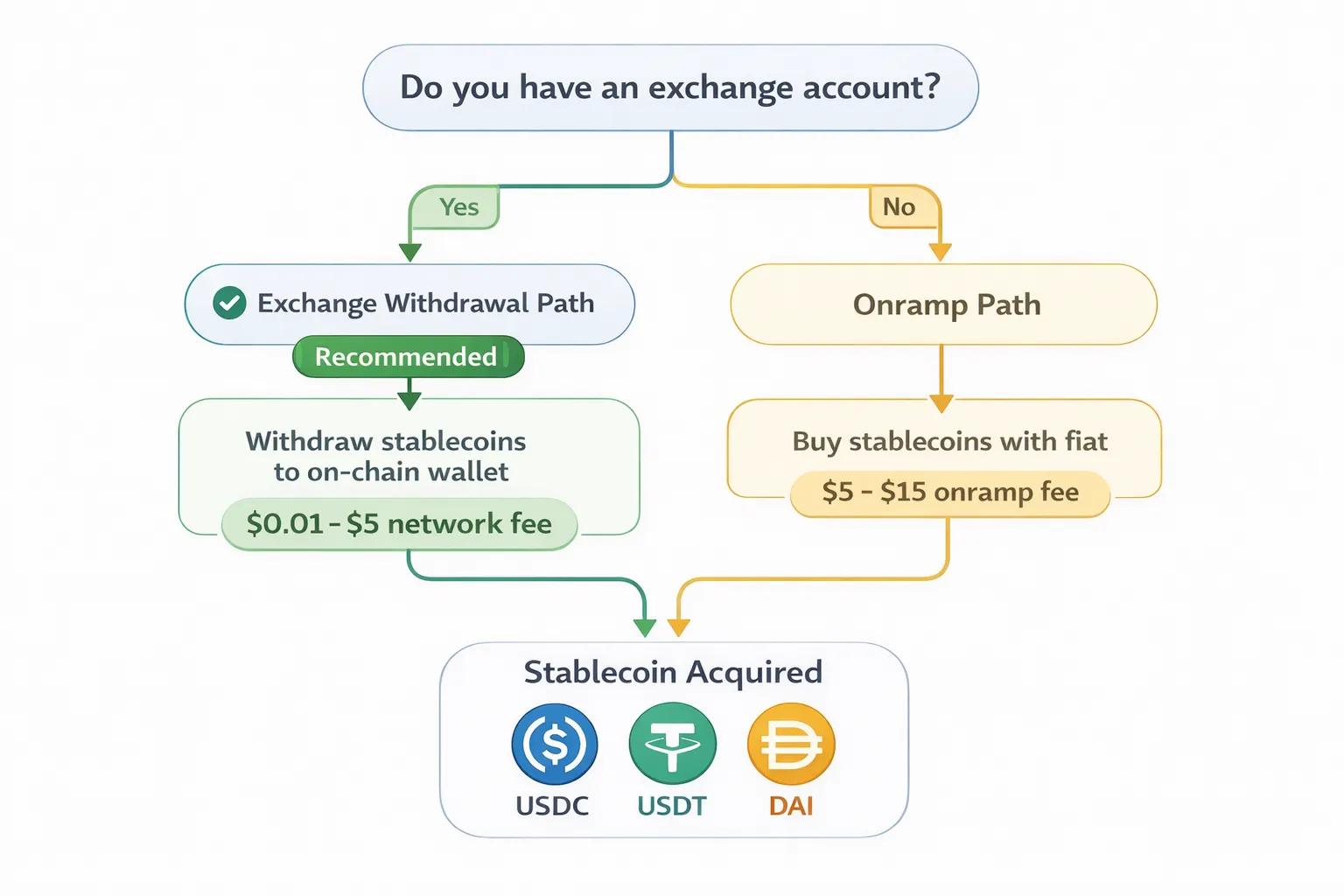
Method 1: Exchange Purchase and Withdrawal (Recommended)
Best for: Amounts over $50, users with existing exchange accounts
Centralized exchanges offer the best rates for converting fiat currency to stablecoins. The key is choosing an exchange that supports direct Polygon withdrawals.
Exchanges with Polygon USDC withdrawal:
| Exchange | Polygon Support | Withdrawal Fee | Verification Required |
|---|---|---|---|
| Coinbase | Yes | ~$0.10 | Yes (for fiat) |
| Binance | Yes | ~$0.10 | Yes (for fiat) |
| Kraken | Yes | ~$0.10 | Yes (for fiat) |
| Crypto.com | Yes | ~$0.10 | Yes (for fiat) |
| KuCoin | Yes | ~$0.10 | Limited for small amounts |
| OKX | Yes | ~$0.10 | Yes (for fiat) |
Step-by-step (using Coinbase as example):
- Log into Coinbase (create account if needed)
- Deposit fiat via bank transfer or card
- Navigate to USDC (or purchase USDC with deposited fiat)
- Click “Send”
- Enter your MetaMask wallet address
- Select “Polygon” as the network (critical step)
- Enter amount
- Confirm and send
- USDC arrives in 1-10 minutes
Total fees:
- Coinbase purchase spread: ~0.5%
- Polygon withdrawal: ~$0.10
- For $100 USDC: ~$0.60 total fees
Compare to onramps: 1-4% fees = $1-4 for same $100
Method 2: Swap from Existing Cryptocurrency
Best for: Users already holding ETH, BTC, or other crypto
If you have cryptocurrency and want stablecoins, swap directly rather than converting to fiat first.
Using MetaMask built-in swap:
- Open MetaMask on Polygon network
- Click “Swap”
- Select your token (ETH, MATIC, etc.) as “From”
- Select USDC as “To”
- Enter amount
- Review rate and fees
- Click “Swap”
- Approve transaction
Fees: 0.875% MetaMask fee + ~$0.02 gas
Using decentralized exchanges (lower fees):
| DEX | Network | Fee | Notes |
|---|---|---|---|
| Uniswap | Polygon | 0.3% | Most liquid |
| QuickSwap | Polygon | 0.3% | Polygon-native |
| SushiSwap | Polygon | 0.3% | Multi-chain |
| 1inch | Polygon | Variable | Aggregator, finds best rate |
Using 1inch (recommended for best rates):
- Visit app.1inch.io
- Connect MetaMask
- Select Polygon network
- Choose source token and USDC
- Enter amount
- 1inch finds best rate across DEXs
- Click “Swap”
- Approve transaction
Fees: ~0.1-0.3% swap fee + ~$0.02 gas
Note: Swapping requires gas in network’s native token. On Polygon, you need small MATIC balance. If swapping on Ethereum, you need ETH for gas (expensive).
Method 3: Direct Onramp to Wallet
Best for: New users without exchange accounts, small amounts, convenience priority
Onramp services let you buy crypto directly with card or bank transfer, delivered straight to your wallet.
Popular onramp services:
| Service | Fee | Payment Methods | Polygon Support |
|---|---|---|---|
| Transak | 1-3% | Card, bank | Yes |
| MoonPay | 2-4% | Card, bank, Apple Pay | Yes |
| Ramp | 1-3% | Card, bank | Yes |
| Banxa | 2-4% | Card, bank | Yes |
| Simplex | 3-5% | Card | Yes |
Step-by-step (using Transak):
- Visit transak.com
- Select “Buy”
- Choose USDC as cryptocurrency
- Select Polygon as network
- Enter amount in your local currency
- Click “Buy Now”
- Paste your MetaMask wallet address (or connect wallet)
- Complete payment with card or bank
- USDC arrives directly in your wallet (5-30 minutes)
Fees: 1-4% depending on payment method and amount
When onramps make sense:
- Buying under $50 (exchange minimum deposits may exceed this)
- No existing exchange account
- Convenience worth extra 1-2% fee
- Want to avoid exchange KYC for crypto portion
Method 4: Receive Payment in Stablecoins
Best for: Freelancers, contractors, anyone paid in crypto
If clients or employers offer cryptocurrency payment:
- Request payment in USDC on Polygon
- Provide your wallet address
- Receive directly without exchange or conversion fees
- Use for GPU rental or convert to fiat as needed
Increasingly common: Many crypto-native companies pay contractors in stablecoins. This eliminates acquisition costs entirely.
Cost Comparison Summary
Acquiring $100 USDC on Polygon:
| Method | Fees | Total Cost | Time |
|---|---|---|---|
| Exchange + Polygon withdrawal | ~$0.60 | $100.60 | 10-30 min |
| DEX swap (from ETH on Polygon) | ~$0.35 | $100.35 | 2 min |
| Onramp (Transak) | ~$2.50 | $102.50 | 10-30 min |
| Onramp (MoonPay) | ~$3.50 | $103.50 | 10-30 min |
| Received as payment | $0 | $100.00 | N/A |
Recommendation by situation:
| Situation | Best Method |
|---|---|
| Have exchange account, amount >$50 | Exchange withdrawal |
| Have ETH/crypto on Polygon already | DEX swap (1inch) |
| No exchange account, want simplicity | Onramp (Transak) |
| Getting paid by client | Request USDC on Polygon |
Avoiding Common Mistakes
Mistake 1: Withdrawing on wrong network
Selecting Ethereum instead of Polygon means:
- Higher withdrawal fee ($5-15 vs $0.10)
- Higher subsequent transaction fees
- Need to bridge to Polygon (another $5-15)
Prevention: Triple-check network selection before confirming withdrawal.
Mistake 2: Paying high onramp fees for large amounts
$500 via onramp at 3% = $15 in fees $500 via exchange at 0.6% = $3 in fees
Prevention: Use exchanges for amounts over $50-100.
Mistake 3: Swapping on Ethereum mainnet
Swapping $50 of ETH to USDC on Ethereum:
- Swap gas fee: $5-15
- Result: Significant loss to fees
Prevention: Bridge ETH to Polygon first ($5-15 once), then swap on Polygon ($0.02 per swap).
Mistake 4: Buying USDC when you need MATIC too
You buy $100 USDC but have no MATIC for gas. Cannot transact.
Prevention: Always acquire small MATIC amount ($1-2) alongside USDC. Some onramps let you buy both in one transaction.
Conclusion: Stability for Your GPU Budget
Stablecoins solve the volatility problem that makes cryptocurrency payments unpredictable. Your $100 GPU budget stays worth $100 regardless of market movements.
Key Takeaways
Volatility is a hidden cost. Using ETH or BTC for GPU rental exposes you to average 6-7% price swings over typical rental periods. This volatility works against you as often as it helps, adding unnecessary risk to predictable business expenses.
USDC is the optimal choice. Among stablecoins, USDC offers the best combination of stability, transparency, and GPU platform acceptance. USDT works as an alternative where USDC liquidity is limited. DAI serves users prioritizing decentralization.
Network selection matters. USDC on Polygon costs $0.001-0.05 per transaction. USDC on Ethereum costs $2-15 per transaction. Same token, same value, dramatically different fees. Always use Polygon for GPU rental unless your platform specifically requires another network.
Acquisition method affects total cost. Exchange withdrawal to Polygon costs ~0.6%. Onramps cost 1-4%. For amounts over $50, exchanges are significantly cheaper. For convenience or small amounts, onramps work fine.
Quick Start Path
If you have a Coinbase/Binance account:
- Purchase USDC on exchange
- Withdraw to MetaMask selecting Polygon network
- Connect to GPUFlow
- Deposit and rent
- Total fees: ~$0.50-1.00
If starting from zero:
- Install MetaMask (setup guide)
- Visit transak.com
- Buy USDC on Polygon network
- Connect to GPUFlow
- Deposit and rent
- Total fees: ~2-3%
The Bigger Picture
Stablecoins represent the best of both worlds:
From cryptocurrency:
- Low transaction fees (vs credit card 2.5-3.5%)
- Fast settlement (minutes vs days)
- Global accessibility (no banking restrictions)
- Privacy options (no KYC on crypto-native platforms)
From traditional finance:
- Stable, predictable value
- Dollar-denominated accounting
- No speculative exposure
- Familiar unit of account
Stablecoin payments are particularly valuable for AI researchers who need to fine-tune language models on proprietary data without creating audit trails in traditional banking systems. For GPU rental specifically, this combination is ideal. You get cryptocurrency’s payment advantages without accepting cryptocurrency’s price volatility. Your compute budget stays exactly where you set it.
Related Resources
From this site:
- Complete Guide to Renting GPUs with Cryptocurrency — Full rental walkthrough including escrow and platform selection
- Setting Up MetaMask and Polygon for GPU Rental — Wallet installation and network configuration
- Hidden Fees in GPU Rental: How Crypto Saves International Users Money — Cost analysis for international users
- How to Rent GPUs Without KYC or Identity Verification — Privacy-focused rental options
External resources:
- Circle USDC Transparency — Reserve attestations and documentation
- Polygon Bridge — Official Ethereum-Polygon bridge
- 1inch — DEX aggregator for best swap rates
Ready to eliminate volatility from your GPU budget? Get POL on Polygon, connect to GPUFlow, and rent GPUs with stable, predictable costs. No price speculation, no surprises—just compute resources when you need them.