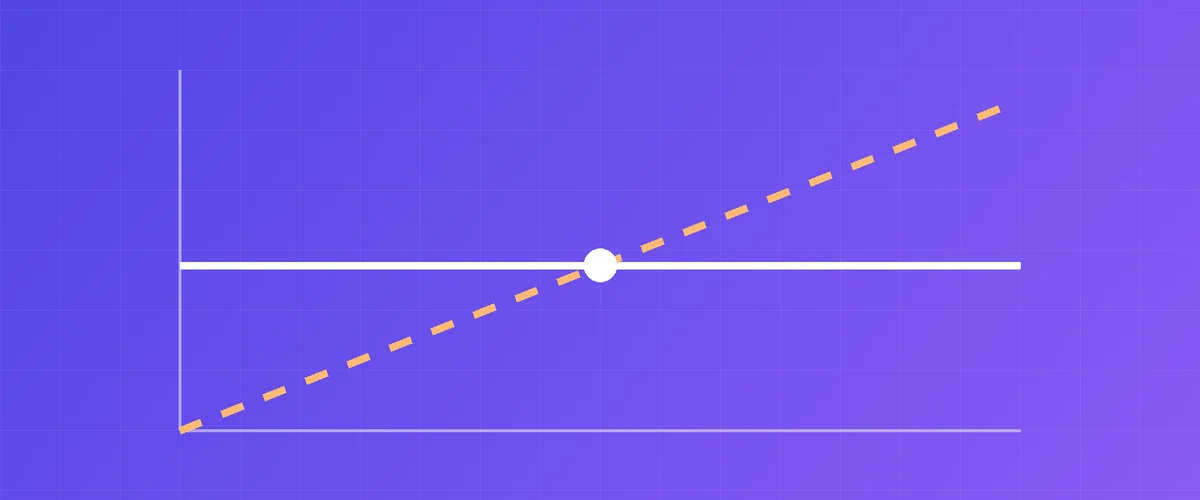
There are two common ways to pay for a small open AI model like Llama 3.1 8B or Qwen 2.5 7B:
- Per token: a company hosts the model and charges for every token you send and receive.
- Per hour: you rent a GPU that runs the model, and pay for the time, however many tokens you use.
The prices look impossible to compare: “$0.04 per million tokens” on one side, “$0.35 per hour” on the other. This article converts both into the same unit and works through one realistic job. All prices were checked in September 2026; the sources are at the end.
Step 1: How fast does a consumer GPU write?
The speed that matters is how many tokens per second the GPU generates for one request. We use the measurements from Hardware Corner, which tested Qwen3 8B at 4-bit quantization (Q4_K_XL) with a 16K context in llama.cpp, the same engine Ollama is built on.
| GPU | Tokens per second (one request) | Tokens per hour |
|---|---|---|
| RTX 3060 12 GB | 42 | about 151,000 |
| RTX 3090 | 87 | about 315,000 |
| RTX 4090 | 104 | about 376,000 |
| RTX 5090 | 145 | about 523,000 |
Short prompts run faster. The llama.cpp project’s own scoreboard, with the smaller Llama 2 7B at Q4_0 and a short context, shows 76, 158, 186 and 290 tokens per second for the same four cards. We use the lower, more realistic numbers.
Reading your prompt is much faster than writing the answer. The same scoreboard shows prompt processing at about 2,100 tokens per second on an RTX 3060 and about 12,000 on an RTX 4090. So on an hourly GPU, long prompts cost little extra time.
Step 2: Turn the hourly price into a price per million tokens
Take the hourly price and divide by the tokens per hour. We use typical on-demand prices from GPU rental sites in September 2026:
| GPU | Price per hour | Cost per 1 million output tokens, GPU kept busy |
|---|---|---|
| RTX 3060 12 GB | $0.06 | about $0.40 |
| RTX 3090 | $0.20 | about $0.64 |
| RTX 4090 | $0.35 | about $0.93 |
| RTX 5090 | $0.55 | about $1.05 |
“Kept busy” is the important part. These numbers assume the GPU writes the whole hour. If it sits idle half the time, the cost per token doubles.
Step 3: What per-token APIs charge
Prices per million tokens, input / output:
| Model | Provider | Input | Output |
|---|---|---|---|
| Llama 3.1 8B Instruct Turbo | DeepInfra | $0.02 | $0.04 |
| Gemma 3 12B | DeepInfra | $0.05 | $0.15 |
| Qwen3.5 9B | DeepInfra | $0.10 | $0.15 |
| gpt-4o-mini | OpenAI | $0.15 | $0.60 |
| gpt-5-mini | OpenAI | $0.25 | $2.00 |
| Claude Haiku 4.5 | Anthropic | $1.00 | $5.00 |
Two things stand out. Hosted open models are very cheap. And closed small models cost 15 to 125 times more per output token than the cheapest open 8B model.
Step 4: One real job, priced every way
Say you run 1,000 requests. Each one sends 1,500 tokens (instructions plus a document) and gets 500 tokens back. That’s 1.5 million input tokens and 0.5 million output tokens.
| Option | Cost for the job | Notes |
|---|---|---|
| Llama 3.1 8B on DeepInfra | about $0.05 | Cheapest by far |
| gpt-4o-mini | about $0.53 | |
| gpt-5-mini | about $1.38 | |
| Claude Haiku 4.5 | about $4.00 | |
| Rented RTX 3060, one request at a time | about $0.21 | About 3.5 hours |
| Rented RTX 3090 | about $0.33 | About 1.7 hours |
| Rented RTX 4090 | about $0.48 | About 1.4 hours |
| Rented RTX 5090 | about $0.54 | About 1 hour |
How we got the GPU numbers: 500,000 output tokens divided by the speed from step 1, plus 1.5 million prompt tokens divided by the prompt speed from the llama.cpp scoreboard, times the hourly price.
What this means
If a hosted API offers the open model you want, it’s the cheapest way to run it. For Llama 3.1 8B, nothing you rent by the hour comes close to $0.04 per million output tokens.
Against most closed small models, an hourly GPU is cheaper, if the open model is good enough for your task. A busy RTX 3060 costs less per output token than gpt-4o-mini, and an RTX 3090 costs about the same; once input tokens are counted, as in the job above, both cost less. Every card in the table costs less than gpt-5-mini or Claude Haiku. Whether a 7B–8B open model gives good enough answers depends on the job: it’s usually fine for classifying, extracting fields, summarizing and short rewriting, and weaker at long reasoning.
An hourly GPU makes sense when:
- The model you need isn’t on any per-token API: your own fine-tune, a community model, or a specific quantization.
- You want a fixed cost per hour instead of a metered bill, for example while testing or running a batch job overnight.
- Your prompts are long. On a GPU you rent by the hour, input tokens cost only the few seconds it takes to read them.
- You want to try a model on real hardware before buying a card yourself.
Per token makes sense when:
- Your traffic comes in bursts with long gaps. You pay nothing while you wait.
- You need many requests at once. A single consumer GPU runs one request at a time by default: Ollama’s
OLLAMA_NUM_PARALLELdefaults to 1. - The model you want is hosted and you’re happy with its price.
Privacy is a factor on both sides
With a per-token API, your prompts go to the API company. With a rented GPU, they go to the machine you rent. On GPUFlow, for example, the model runs on the provider’s own computer, so prompts and answers pass through it. Our docs say it plainly: don’t send passwords, card numbers or anything you wouldn’t share with a stranger. Neither option replaces running the model on your own hardware when the data is truly sensitive.
How to test this on GPUFlow
On GPUFlow you rent a GPU for a number of hours and get an API key that works like an OpenAI key. You’re billed to the second, and if you end early the unused time goes back to your credits. To measure your own cost per token:
- Rent a GPU running the model you want for one hour.
- Point your script at
https://gpuflow.app/v1with your key (how). - Count the tokens you got back and divide what you paid by them.
Ten minutes of real traffic tells you more than any table.
Related articles
- The real cost of renting a GPU: what the hourly price leaves out
- How to use an OpenAI-compatible API key in Open WebUI, Continue, LangChain and more
- Ollama vs vLLM vs TGI: RTX 4090 inference benchmark
Sources
All checked in September 2026.
- GPU speeds, Qwen3 8B Q4_K_XL at 16K context: Hardware Corner GPU ranking (updated December 9, 2025)
- llama.cpp CUDA scoreboard, Llama 2 7B Q4_0: github.com/ggml-org/llama.cpp/discussions/15013
- Ollama parallel requests: docs.ollama.com/faq
- DeepInfra prices: deepinfra.com/pricing
- OpenAI prices: gpt-4o-mini, gpt-5-mini
- Anthropic prices: platform.claude.com pricing
- GPU rental price ranges: GPUFlow docs, How to price your GPU